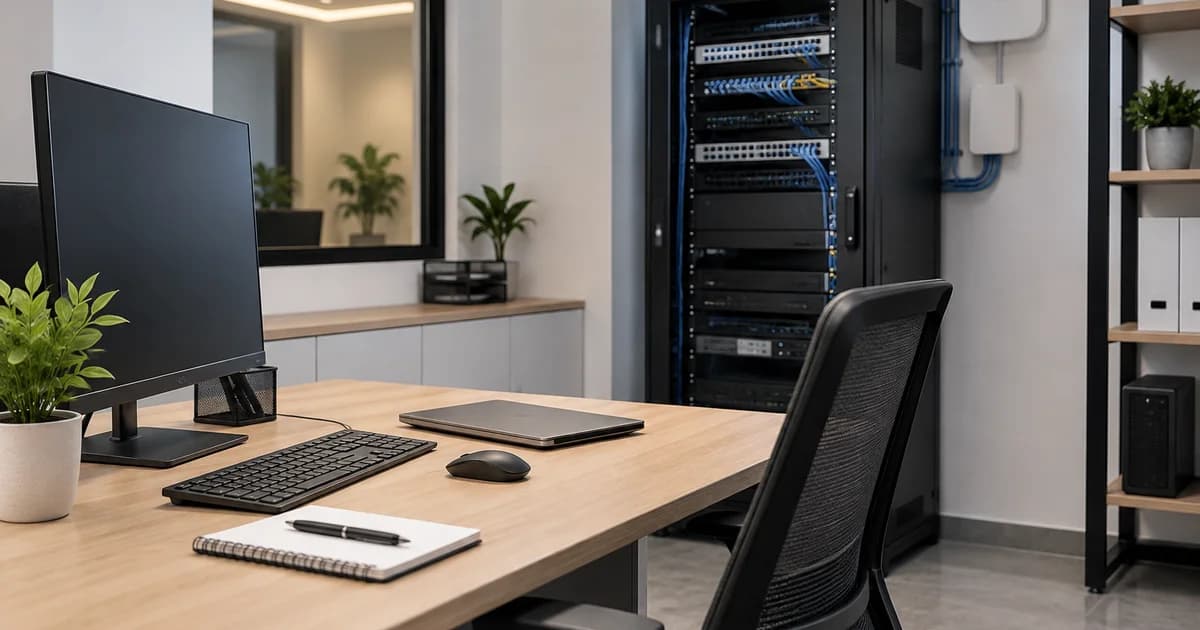
Quick answer: Office IT setup in Dubai covers five core components: workstations and equipment, internet and network infrastructure, Microsoft 365 and user accounts, cybersecurity and backup, and ongoing support. Costs depend on headcount, device specification, internet activation, licensing and whether support is handled under an AMC. A 10-person office typically needs less infrastructure than a 50-person one, but every setup should be tested before launch day, not after.
A business can sign a lease, fit out the office, and still not be ready to open. Desks arrive. Chairs get assembled. The signage goes up. Then someone tries to send the first client email from the new address and discovers the domain records haven't propagated, the WiFi only covers half the floor, and nobody has actually ordered the laptops.
This happens more often than it should, because office IT setup in Dubai is usually planned as an afterthought to the physical fit-out rather than as its own project with its own timeline. Internet activation with du or e& can take longer than expected. Hardware needs sourcing, configuring and testing before anyone can use it productively. Microsoft 365 needs domain verification before a single email can be sent from a company address.
This guide walks through what a new Dubai office actually needs from an IT standpoint, how requirements shift with team size, what drives the cost, and what should be tested before anyone calls the office "open." For the wider service scope, read what a modern IT solutions provider should manage.
What IT Does a New Office in Dubai Actually Need?
Every office needs a baseline of IT infrastructure before staff can work productively, regardless of industry or size. Some systems are essential from day one; others can be added once the office is operational.
Essential systems:
- Workstations or laptops for every employee, configured and ready to use
- Internet connectivity and a functioning office network (router, switch, WiFi)
- Business email on a custom domain, with user accounts provisioned
- Cloud accounts and file storage (typically Microsoft 365)
- Basic cybersecurity: endpoint protection, firewall, multi-factor authentication
- A support arrangement for when something breaks
Optional or scalable systems:
- Printers, scanners and shared peripherals
- VPN for remote access
- Dedicated servers or network-attached storage
- Access control and physical security systems
- A formal IT Annual Maintenance Contract (AMC) rather than ad hoc support
The mistake many new offices make is treating hardware procurement as the entire project. In reality, hardware is only useful once it's connected to a working network, provisioned with the right accounts, and protected by baseline security — which is why sequencing matters as much as the shopping list itself.
Office IT Requirements for 10, 25 and 50 Employees
Requirements scale with headcount, but not in a straight line. A 25-person office doesn't simply need 2.5 times the equipment of a 10-person office — it typically needs a managed switch instead of a basic router, a formal guest network, and faster support response times because more people depend on the same systems.
The table below is illustrative only. Actual requirements depend on your floor plan, device density, workload type (e.g., design versus general office work) and whether staff work on-site full time or hybrid.
| Team size | Typical devices | Network needs | Email & cloud | Support arrangement |
|---|---|---|---|---|
| 10 employees | 10 laptops or desktops, 1 shared printer | Business-grade router, basic WiFi access point, simple guest network | Microsoft 365 Business Basic or Standard | Starter-level AMC or remote-first support |
| 25 employees | 25 devices, 1–2 printers, possible reception/POS system | Managed switch, multiple WiFi access points, firewall, separated guest network | Mixed licensing tiers by role, Microsoft 365 Standard or Premium | Business-level AMC with on-site visits |
| 50 employees | 50+ devices across departments, multiple printers, possible local server | Structured cabling, managed switches, multiple access points, firewall, UPS | Department-based licensing, Microsoft 365 Premium for higher-security roles | Dedicated support, often Enterprise-level AMC |
A business sitting between these benchmarks, say 18 employees with one server, generally needs its own assessment rather than being forced into a bracket that doesn't quite fit. Floor plan matters just as much as headcount: an open-plan office with concrete walls may need two or three WiFi access points to cover the same square footage that one would handle in a simpler layout.
Planning Your Office Internet, Network and WiFi
Internet connectivity is usually the longest lead-time item in an office IT setup, and it's the one most frequently left too late. In Dubai, business internet is primarily supplied by du business internet and e& UAE business internet, and activation timelines depend on building readiness, existing infrastructure in the premises, and the plan selected. New or recently converted commercial spaces can take longer to activate than buildings with existing fibre connections, so confirming availability and lead time with the ISP should happen as soon as a lease is signed — ideally before fit-out work even begins.
Once connectivity is confirmed, the network itself needs several components working together:
- Structured cabling, run during fit-out wherever possible, since retrofitting cable runs after furniture and partitions are installed is disruptive and more expensive
- A business-grade router, sized to the connection speed and user count
- Managed switches, which allow network segmentation and troubleshooting that unmanaged switches don't support
- WiFi access points, positioned based on floor plan and device density rather than simply plugged in wherever's convenient
- Guest network separation, keeping visitor traffic off the network segment where business systems and data sit
- A firewall, filtering traffic and protecting the network perimeter
- UPS (uninterruptible power supply), keeping core network equipment running through short power interruptions so a brief outage doesn't take down the entire office network
Skipping guest network separation is a common shortcut in smaller offices, but it's one of the easiest security gaps to close during initial setup rather than retrofitting it later.
Choosing Business Laptops, Computers and Office Equipment
Equipment should be procured by role, not by a single standard specification applied across the whole office. A general office employee handling email and documents has very different requirements from a developer who needs more memory and faster storage, or a designer who needs an accurate display and graphics performance.
Beyond the specification itself, a handful of procurement factors matter more than brand preference:
- Compatibility with your chosen operating system, Microsoft 365 setup and any line-of-business software
- Security features appropriate to the role, particularly for staff handling client or financial data
- Warranty terms, confirmed before approval rather than assumed
- Deployment, meaning devices arrive configured with accounts, applications and security settings already in place rather than as sealed boxes someone in the office has to set up manually
- Imaging, where a standard configuration is applied across multiple devices for consistency
- Asset tracking, so the business has a record of what equipment exists, who holds it, and when warranties expire
Office opening scenarios typically combine workstations, network equipment, printers and power backup in a single procurement exercise, so devices, Microsoft 365 and security configuration are ready together rather than arriving in a disconnected sequence. Businesses sourcing equipment for a new Dubai office can review business IT hardware procurement in Dubai for how specification, quotation and deployment are typically scoped.
Microsoft 365, Email and User Accounts
Business email and cloud collaboration tools are foundational to how most Dubai offices operate day to day, and they need to be configured correctly before anyone relies on them. A Microsoft 365 setup for a new office typically includes:
- Business email on Exchange Online, tied to the company's own custom domain
- Domain verification records added to DNS, which must happen before email can be set up on that domain
- User provisioning, meaning accounts are created and licensed for every employee before their start date
- Access permissions, defining who can access which mailboxes, folders and shared resources
- Teams, SharePoint and OneDrive, connected so staff can message, store files and collaborate from one ecosystem
- Multi-factor authentication (MFA), adding a second verification step beyond a password
- Licensing decisions, since Microsoft 365 plans vary based on whether a team needs desktop Office apps, device management or advanced threat protection
Microsoft 365 plans differ by applications, security features and whether Teams or Copilot is included. Check Microsoft's current business plan comparison and confirm UAE/AED pricing, subscription term and taxes directly with Microsoft or a local reseller before approving licences.
Getting DNS and licensing sequencing wrong is one of the most common reasons new offices experience email delays in their first week. For a detailed walkthrough of migration steps, licensing comparisons and security configuration, see the Microsoft 365 migration guide for Dubai businesses.
Cybersecurity and Backup Requirements Before Opening Day
Security and backup should be configured as part of initial setup, not added once something has already gone wrong. At minimum, a new office should have:
- Multi-factor authentication enforced for all users
- Least-privilege permissions, so staff only have access to the systems and data their role requires
- Endpoint security, deployed across every device connecting to company email and files
- Patching schedules, applying operating system and software updates consistently rather than reactively
- Backups, configured for business-critical data and cloud mailboxes
- Restore testing, confirming that a backup can actually be recovered, not just that a backup job ran
- Employee offboarding procedures, so access is revoked promptly when someone leaves — a step that's easy to overlook under pressure but creates a real security gap when missed
File sync is not a complete backup strategy. OneDrive synchronises files and provides native version-history, recycle-bin and restoration features, but recovery depends on their retention and coverage. Assess independent backups and test restores against your business requirements rather than assuming sync alone meets them. See Microsoft's explanation of OneDrive restoration.
Businesses handling personal data should also be aware of the UAE's Personal Data Protection Law — Federal Decree-Law No. 45 of 2021, effective 2 January 2022 — which governs how personal data is processed, kept confidential and transferred across borders. This guide is not legal advice, and businesses with specific compliance obligations should confirm their data handling practices against the law directly or with qualified legal counsel.
How Much Does Office IT Setup Cost in Dubai?
There is no single market rate for office IT setup in Dubai, because no two offices run the same combination of headcount, equipment, connectivity and security requirements. Rather than publishing invented price figures, it's more useful to understand what actually drives the cost up or down:
- Hardware specification and quantity — the number of devices and the role-based specification chosen for each
- Installation and configuration — cabling, network setup, device imaging and deployment labour
- Internet and connectivity — the business internet plan selected and any installation fees from the ISP
- Microsoft 365 and licensing — the tier chosen per user, which varies based on desktop app and security needs
- Security tooling — endpoint protection, firewalls and MFA enforcement
- Backup infrastructure — whether backup needs to be built from scratch or already exists
- Ongoing IT support — whether the business opts for a reactive, pay-per-visit arrangement or a fixed-fee AMC
- Maintenance and replacement planning — budgeting for hardware refresh cycles rather than treating equipment as a one-time cost
A practical budgeting approach is to separate one-off setup costs (hardware, cabling, installation, initial licensing) from recurring monthly costs (subscriptions, support contracts, connectivity). This makes it easier to compare quotations on a like-for-like basis rather than being swayed by whichever number looks lowest upfront.
A Practical Office IT Setup Timeline
Office IT setup moves faster when workstreams run in parallel rather than one after another, but some stages genuinely depend on others finishing first.
- 1Preparation — Confirm internet availability and activation timeline with your ISP, finalise floor plan and structured cabling requirements, and define role-based equipment specifications.
- 2Procurement — Order hardware, network equipment and Microsoft 365 licensing. This stage can run in parallel with internet activation, since device delivery timelines and ISP activation timelines rarely align perfectly.
- 3Configuration — Set up the network (router, switches, access points, firewall), provision user accounts and Microsoft 365, and image or configure devices before they reach the office.
- 4Testing — Verify connectivity, email delivery, printing, security controls and backup before anyone relies on the systems for real work.
- 5Handover — Document the setup, confirm warranties and supplier contacts, and transition to an ongoing support arrangement.
The internet activation and hardware delivery timelines are the two dependencies most likely to delay an opening date, which is why both should be initiated as early as possible, well before fit-out is complete.
Planning a New Office in Dubai? Get Your IT Setup Reviewed. Digitronix can review equipment, connectivity, Microsoft 365 and support requirements before procurement begins — request an office IT assessment.
Office IT Handover and Launch Day Testing
A setup isn't finished just because the equipment is plugged in. Before calling an office "open," confirm the following:
- Internet connectivity is stable across every area of the office, including WiFi coverage at the edges of the floor plan
- Every user account has the correct access and can log in
- Email is sending and receiving correctly, both internally and externally
- Printing works from every workstation that needs it
- Security controls (MFA, endpoint protection, firewall rules) are active, not just installed
- A backup restore has actually been tested, not just confirmed as "running"
- Setup documentation exists — network diagrams, asset lists, account credentials stored securely
- Warranty terms and supplier contact details are recorded and accessible to whoever manages IT going forward
Skipping this stage is how businesses end up discovering problems during their first week of real operation instead of before anyone is depending on the systems.
Do You Need an IT AMC After Setup?
Once an office is set up, someone needs to keep it running. The two common models are an IT Annual Maintenance Contract (AMC) and reactive, pay-per-visit support.
Under pay-per-visit support, a technician is only engaged once something has already broken, costs vary by incident, and there's typically no monitoring or preventive maintenance between visits. Under an AMC, a business pays a fixed monthly or annual fee for ongoing monitoring, patching, helpdesk support and defined response times.
The key distinction worth understanding is that response time is not resolution time. Response time is how quickly a support request is picked up; resolution time is how long the actual problem takes to fix, which depends on the issue itself, parts availability and third-party vendors. A quoted 2-hour response target applies under the agreed service hours and contractual conditions; it is not a promise to resolve every fault within two hours.
Choose pay-per-visit if IT dependency is genuinely minimal. Choose an AMC if your team relies on email, shared files or networked systems every working day, since the predictability of a fixed cost usually outweighs the savings of occasional cheaper call-outs. For a full breakdown of what affects IT AMC costs in Dubai, including how pricing scales with team size and infrastructure, see the dedicated guide. It's also worth noting that replacement hardware and software subscriptions are typically not included automatically under an AMC — these are usually scoped and quoted separately.
How Digitronix Can Help With Your Office IT Setup
Digitronix works with businesses opening or relocating offices in Dubai across business IT hardware procurement, network setup, Microsoft 365 configuration and AMC IT support for Dubai businesses once the office is live. Rather than treating hardware, connectivity and support as separate purchases from separate vendors, the aim is for equipment to arrive configured, connected and already covered under a support arrangement from day one.
Pricing is quotation-based and assessed against your specific environment — number of employees, device count, locations and existing infrastructure — rather than a fixed rate card applied to every business the same way.
If you're planning a new office or relocation in Dubai, request an office IT assessment to review your equipment, connectivity, Microsoft 365 and support requirements before procurement begins.
Frequently Asked Questions
How much does IT setup cost for a small Dubai office?
Cost depends on device count, specification, internet connectivity, Microsoft 365 licensing and whether ongoing support is included. There's no fixed market rate, since a 10-person office with cloud-only email costs less to set up than one requiring a local server or advanced security tooling. A proper quotation requires an assessment of the specific business.
What equipment does a 10-person office need?
Illustratively, a 10-person office typically needs 10 laptops or desktops configured for each role, a shared printer, a business-grade router, a basic WiFi access point, and a simple guest network. Actual requirements vary based on floor plan and workload type.
How early should we arrange office internet?
As early as possible — ideally as soon as the lease is signed. Business internet activation with du or e& depends on building readiness and existing infrastructure, and this is often the longest lead-time item in an office setup, so starting late risks delaying the opening date.
Can one company supply and configure all office equipment?
Yes. Hardware, network equipment and Microsoft 365 setup can be sourced and configured together as part of a single procurement and deployment process, rather than as separate purchases that need to be reconciled afterward.
Do small businesses need a firewall?
Yes. A firewall filters network traffic and protects the perimeter of the office network regardless of business size. Even a small office benefits from basic firewall rules and a separated guest network to keep visitor traffic off business systems.
What does Microsoft 365 setup involve?
It involves business email on a custom domain, domain verification via DNS records, user account provisioning, licensing based on each role's needs, Teams, SharePoint and OneDrive configuration, and multi-factor authentication. Getting the DNS and licensing sequence wrong is a common source of email delays.
What is included in office IT installation?
A full office IT installation typically covers structured cabling, network equipment (router, switches, access points, firewall), device configuration and deployment, Microsoft 365 setup, security configuration, and testing before handover. Scope varies based on the quotation agreed with the provider.
Can IT equipment be covered under an AMC?
Yes. Equipment supplied during setup, or already in use in the office, can be brought under an AMC for ongoing maintenance and support. Replacement hardware is typically not automatically included and is usually quoted separately within the agreement.
How do businesses manage new employee laptop setup?
New employee devices are typically configured with accounts, applications and security settings before the employee's start date, so the device is ready to use on day one rather than requiring setup time once they've joined.
What should be tested before an office opens?
Internet connectivity and WiFi coverage, user account access, email delivery, printing, active security controls, and a tested backup restore should all be verified before an office is considered operational, along with confirming that setup documentation and supplier contacts are recorded.